
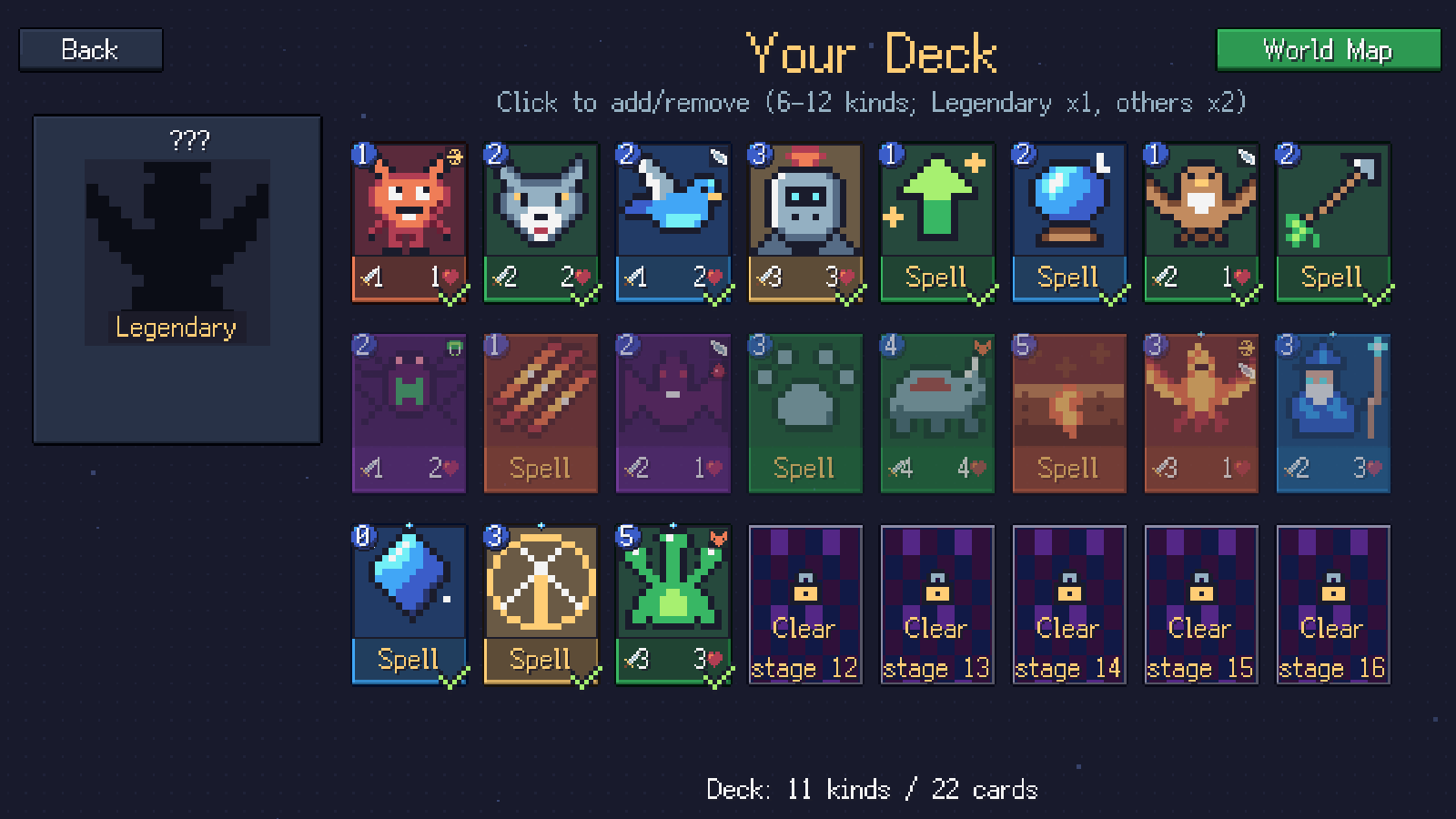
Want a single-player card game where you choose your deck before the battle? Cardfarer’s Campaign offers that kind of preparation. Select cards from your unlocked collection, take the deck into an AI duel, and return to the editor as new rewards give you more options.
For Hearthstone or Magic: The Gathering players, this is a useful distinction when exploring a new card game. Sometimes you want to adapt to rewards during a run; sometimes you want to test a deck you prepared yourself. Cardfarer gives those two approaches separate modes.
What does deck construction mean here?
In Campaign, your chosen cards carry into the battle. The deck editor is where you decide which available card kinds to include. Winning further stages expands your collection through rewards, giving you more choices for later encounters.
You do not start with every card unlocked. Your available pool includes the current hero’s starter cards and rewards from cleared Campaign stages. A locked card in the editor points to the stage that unlocks it, giving the next duel a concrete reward to work toward.
The browser version is free to play. You can open Cardfarer on itch.io and begin with Campaign rather than selecting a long roguelike run.
How large is a Campaign deck?
The editor allows 6 to 12 different card kinds. This counts distinct selections, not the total number of cards shuffled into a battle.
Each selected non-Legendary kind contributes two copies; a selected Legendary contributes one. For example, eight selected non-Legendary kinds produce a 16-card battle deck. The editor displays both the number of kinds and the total number of cards.
You choose whether to include a kind rather than adjusting an arbitrary number of copies. This keeps the editor compact while still asking you to decide which cards belong in the plan. It is also why the “12” limit does not mean you are restricted to twelve physical cards in the battle deck.
How do I decide what belongs in the deck?
Start with what you want your opening turns to accomplish on a four-lane board. Ask whether you can play a creature early, protect an exposed lane, and answer an opposing threat that your ordinary attackers cannot reach effectively.
You can sort potential additions into jobs:
- Early board presence: affordable creatures that give you a position before expensive cards become playable.
- Defence: creatures or spells that help keep a dangerous lane from reaching your hero.
- Answers: a way to remove a defender or deal with a keyword that your board struggles against.
- Pressure: cards that turn an opening into damage, including an appropriate Haste or Flying threat.
- Sustaining the plan: card draw or other effects that help the deck keep functioning.
These are roles to consider, not a mandatory recipe. A card may fill more than one role, and the next opponent may make one role more useful than another.
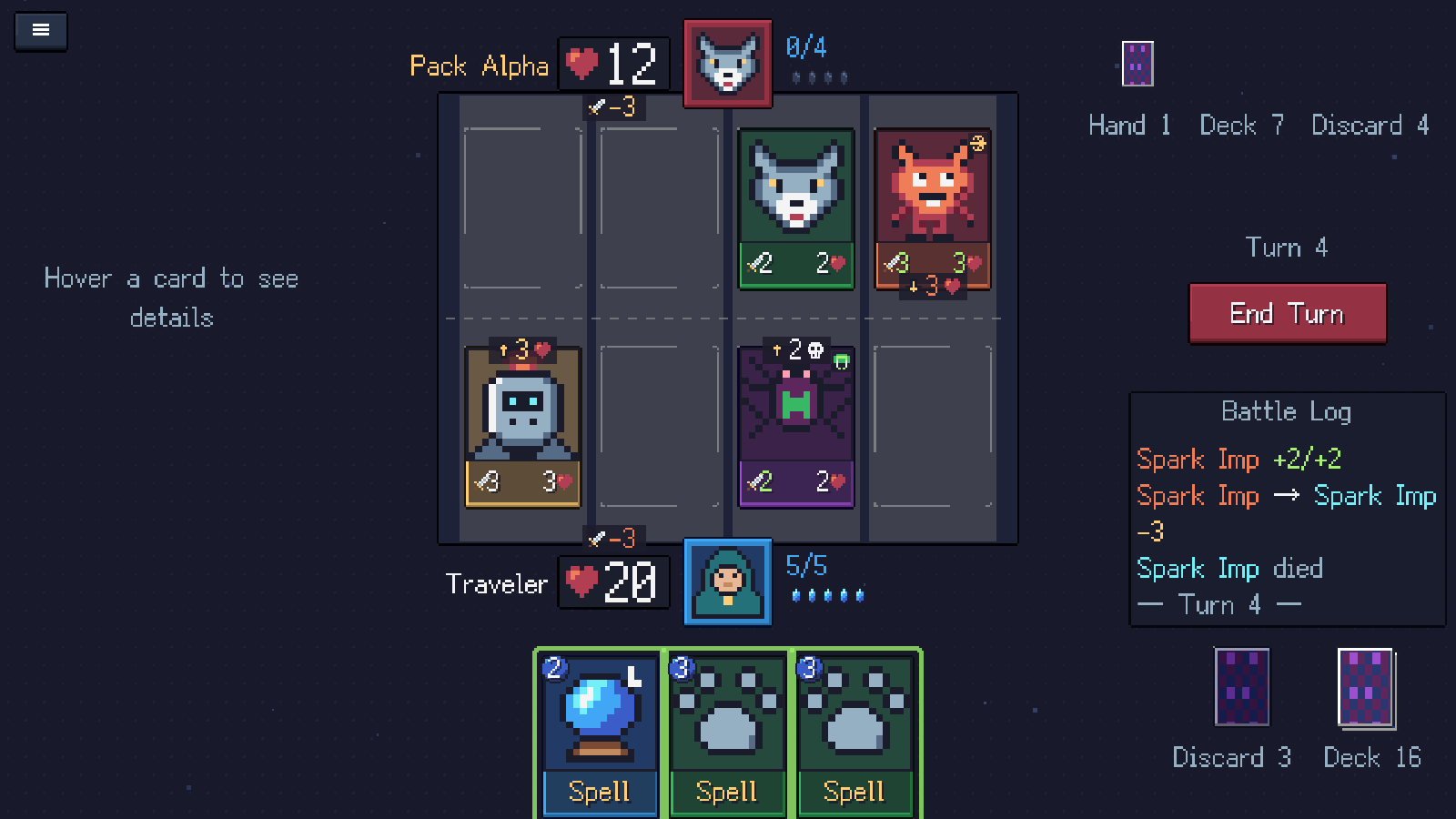
In-game capture: occupied and empty lanes show the jobs a prepared deck needs to cover, from defending your hero to creating direct pressure. Click to view full size.
How should I change a deck after a battle?
Use the battle as information. If your expensive cards stayed in hand while you lost health, check the lower end of your costs. If a flyer kept bypassing your board, look for a suitable answer. If you had several cards in hand but no useful play, ask whether they all depend on the same narrow situation.
Try changing one or two selections at a time. That makes it easier to notice whether the new cards actually solved the problem. A newly unlocked card is an option to evaluate; it does not automatically need to replace something in a deck that is working.
Read the combat guide if the problem was predicting attacks rather than choosing cards.
Does my Campaign deck become my Expedition deck?
No. Expedition starts with a class-based deck, then changes through rewards and encounters during that run. Editing your Campaign list does not replace that starting deck.
Choose Campaign for prepared-deck testing and progression through 16 duels. Choose Expedition for adapting to a branching journey. The Campaign and Expedition comparison explains the broader differences, and the Dungeon Run-style introduction focuses on the appeal of building along the way.
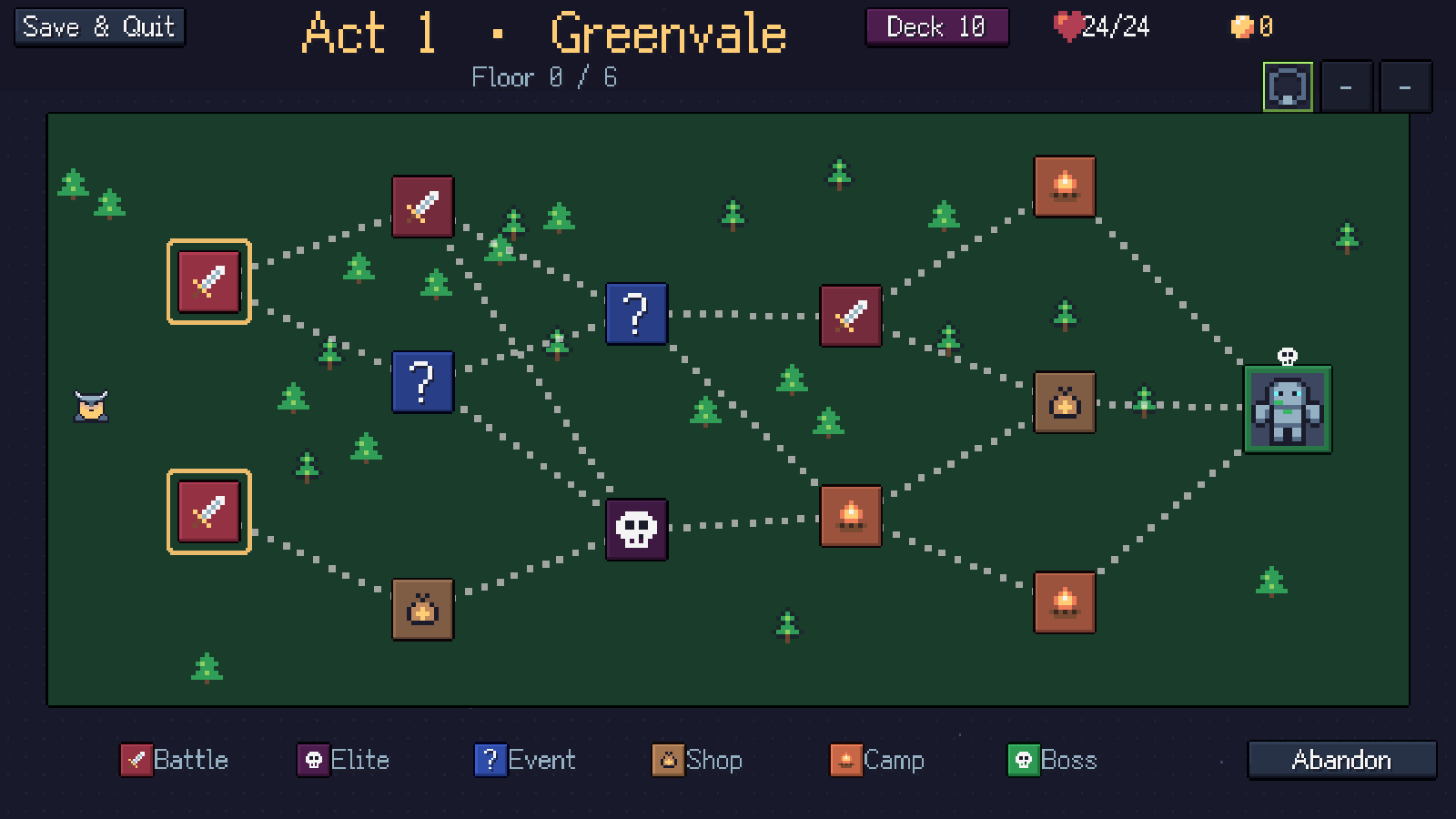
In-game capture: Expedition is a separate run, with its own deck and resources shown above the map. Click to view full size.
Is this a multiplayer constructed format?
Cardfarer currently offers single-player battles against AI. It has no PvP ladder, trading system or deck import from another game. You also still shuffle and draw cards, so deck preparation does not guarantee a particular opening hand.
If testing a small deck against Campaign opponents sounds appealing, start playing here. The browser quick start covers controls and local saves; our game page shows the board and deck editor. Magic players can also read the four-lane rules introduction before their first duel.