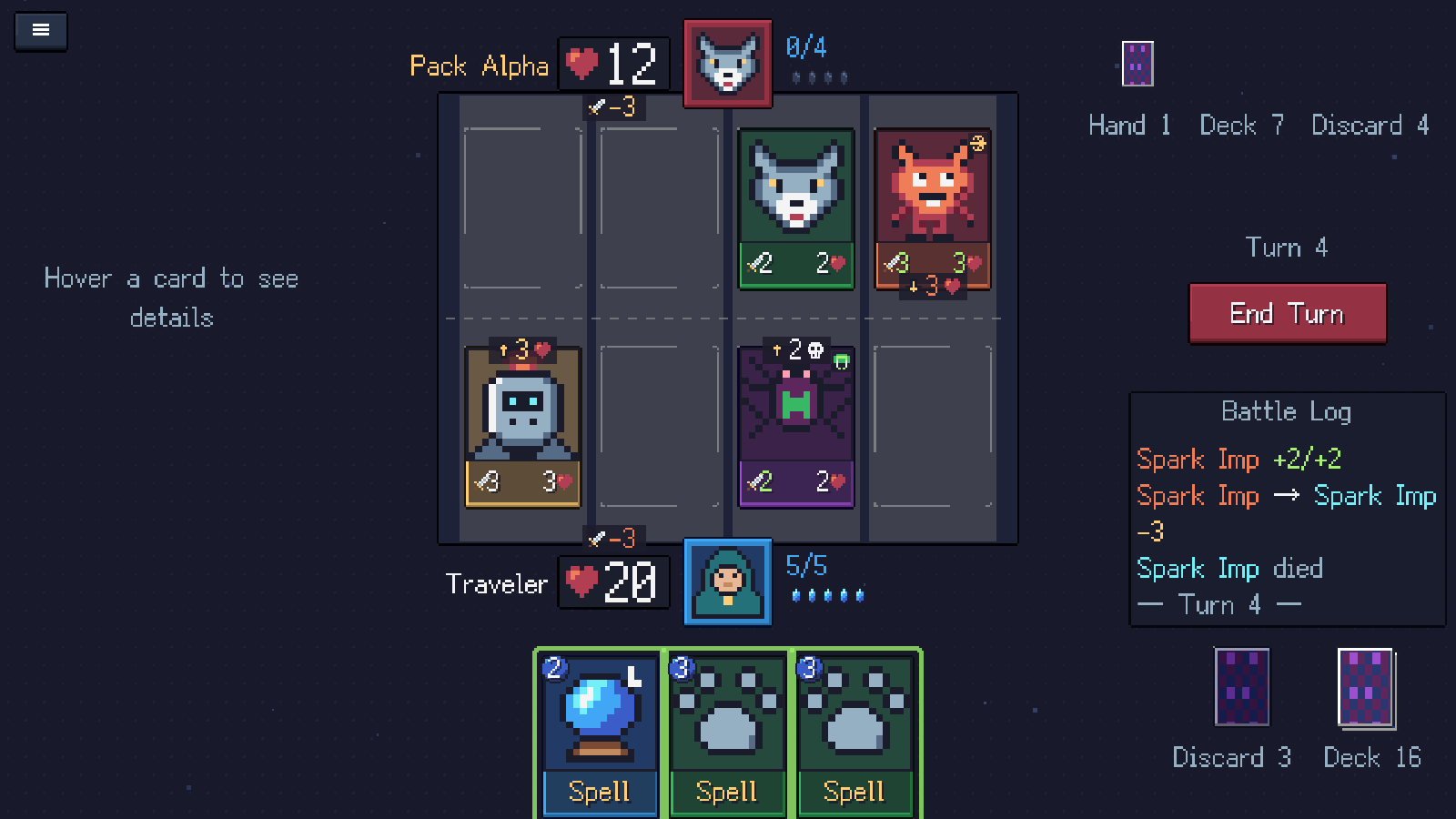
Cardfarer is a free, single-player pixel-art card battler from Jellume Games. You can play the browser version on itch.io or download the Windows version from the same page. Battles take place across four lanes: you play creatures and spells, then end your turn to let your ready creatures attack.
Where can I play Cardfarer?
Open the official Cardfarer page on itch.io and choose Run game to start the browser version. A desktop browser, mouse and larger screen are the recommended way to play. Let the game finish loading before beginning a battle.
If you prefer a downloadable version, use the Windows download on that page. The browser game is free, and the download is listed as name your own price. The Cardfarer website has gameplay screenshots and a trailer if you want a closer look first.
What should I do in my first session?
Start with Campaign. It introduces the journey through Greenvale, Ember Canyon and Gravemoor, with 16 duels in total. The first battle includes a step-by-step tutorial, so you can learn the board before worrying about a long run.
- Choose a hero and begin the first Campaign duel.
- Follow the tutorial to play a creature into a lane.
- Read the attack previews before ending your turn.
- After a battle, look at the new card you earned and consider what it adds to your deck.
You can drag a card to its lane or target, or click the card and then click its destination. The End Turn button resolves your attacks; Space or Enter also ends the turn. Esc opens the pause menu.
Which hero should I choose?
All three heroes use the same lane-combat rules, but their starting decks encourage different approaches.
- Mage: card draw and damage spells, including Inferno Blast. A good starting point if you enjoy finding an answer in your hand.
- Warrior: sturdy creatures and Haste threats such as Berserker. Try this if you like building a board and keeping pressure on it.
- Ranger: flying creatures and targeted damage. Hawk and Piercing Shot introduce ways to get around or remove a defender.
Choose the play style that interests you. Learning when a creature can attack and which lane it threatens matters more at the start than finding a supposedly perfect class.
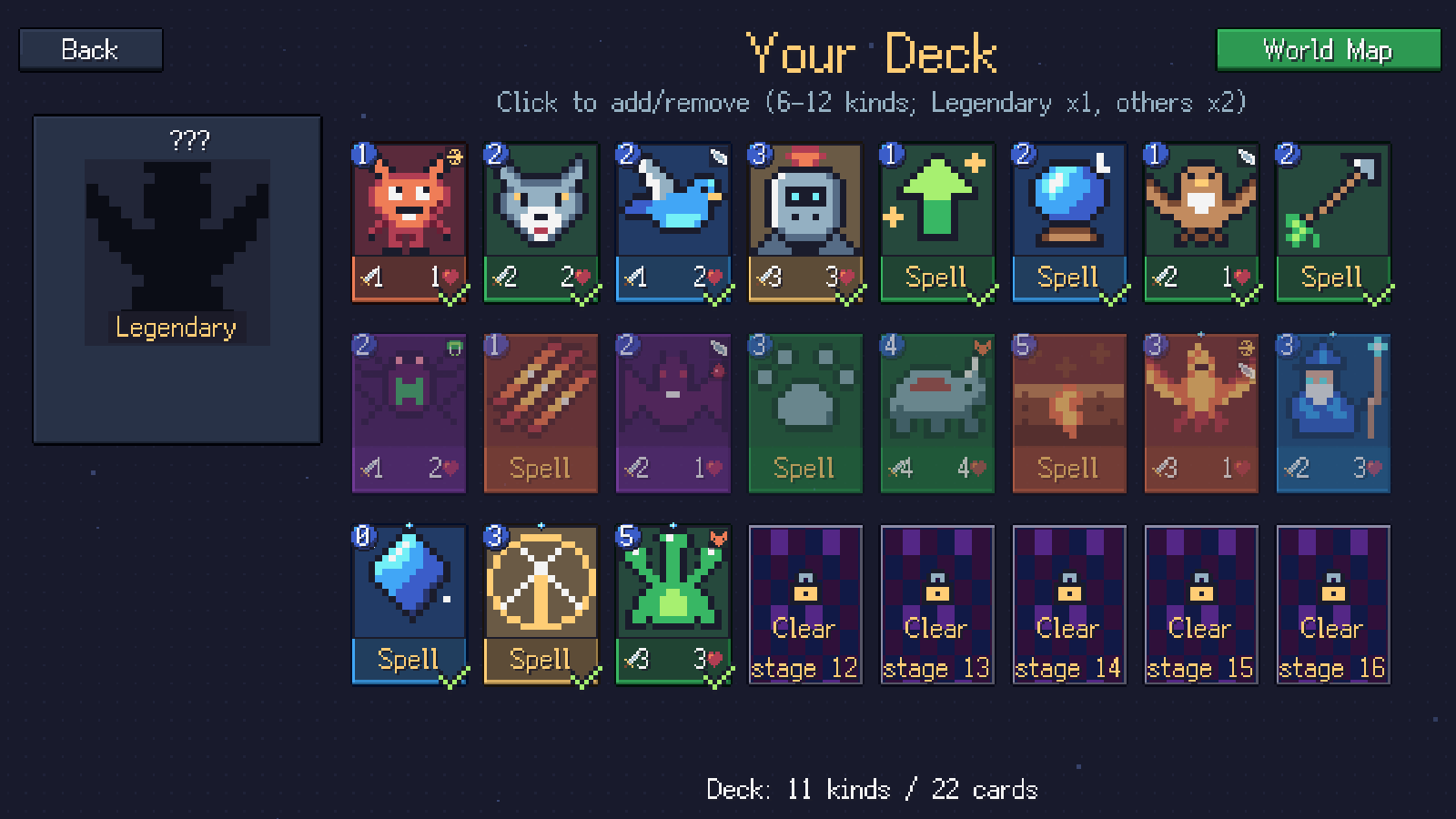
In-game capture: inspect card costs and choose unlocked cards in the Campaign deck editor. Click the screenshot to view full size.
Does the browser version save my progress?
Yes. Browser progress is saved locally. Return using the same browser and device, and avoid clearing the game’s site data if you want to keep that progress. Private browsing or blocked browser storage can make saves less reliable.
The Windows version uses a separate save. Do not expect switching from the browser to the download to carry your progress across automatically.
Can I play in Chinese?
The game supports English, Simplified Chinese and Brazilian Portuguese. Choose the language you prefer in the game. Language options on the studio website and language options inside the game are separate controls.
Where should I go next?
If the board still feels confusing, read the beginner’s guide to lanes, energy and combat. When you are ready for a longer run, the Campaign and Expedition guide explains how to unlock Expedition and what changes between modes.
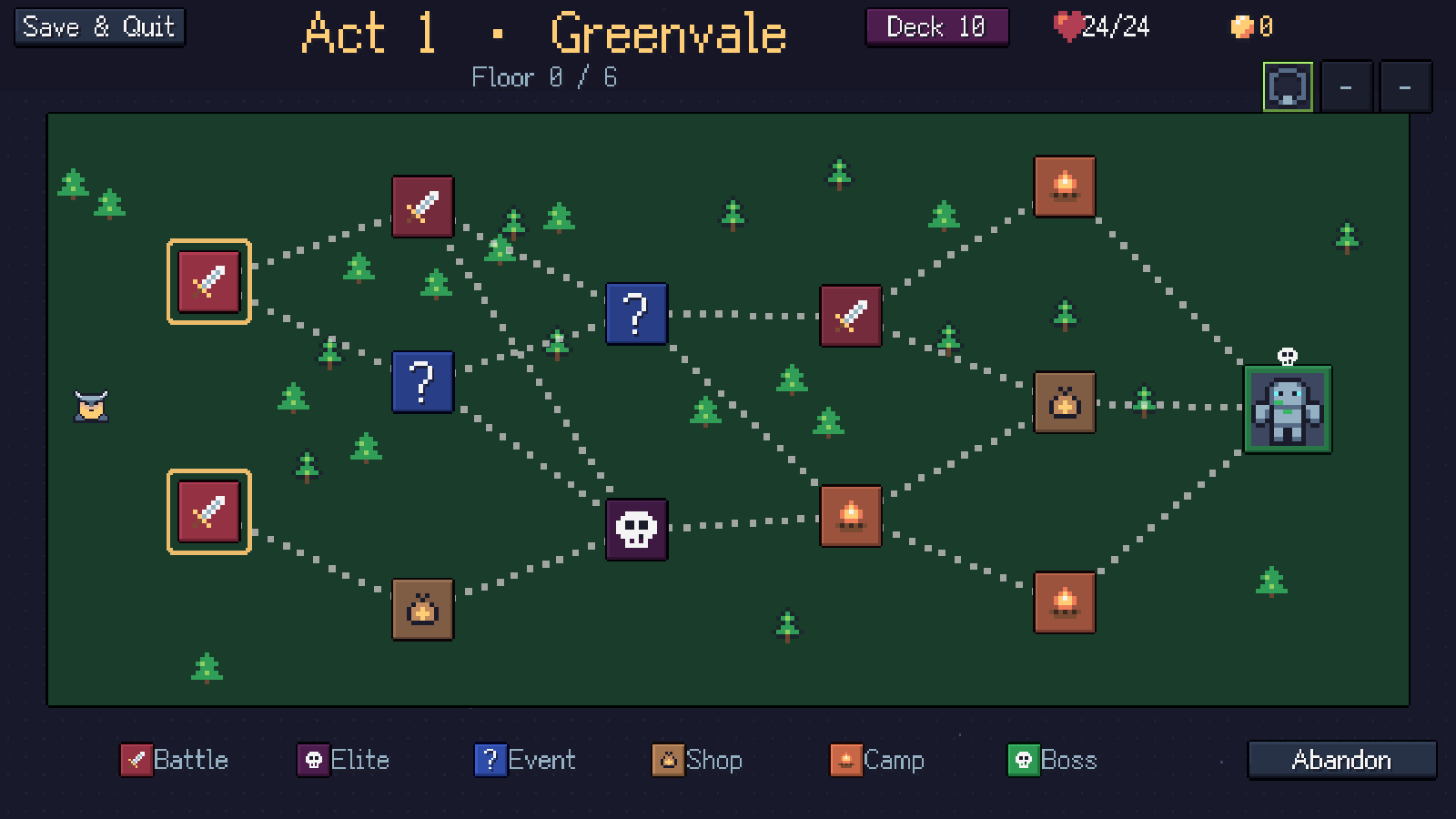
In-game capture: Expedition routes connect battles, events, shops and campfires on the way to the boss. Click to view full size.